

AI integration in the tools you already use
Three or six months to build it, train your team on it and see it used.
Official partners




From a pilot to daily use
Most of the work in an engagement happens after the first build.
A pilot
- Built outside the team, shown once, then left
- Staff on personal AI accounts with no guidance
- Licences bought, few people using them
- Nobody can say what it saves
In daily use
- Built inside the tools the team opens every day
- Everyone who uses it trained on it, on their own work
- Usage watched and the build adjusted while PUSH is still with you
- A named owner and a usage and value dashboard
How the engagement runs
Three or six months. The build comes first, then the work of getting it used.
- 01
Build
We build the systems
We confirm the use cases, agree the data and systems involved and what good looks like, then build each system into your tools with security and access checked.
Hands overWorking systems inside your tools - 02
Train
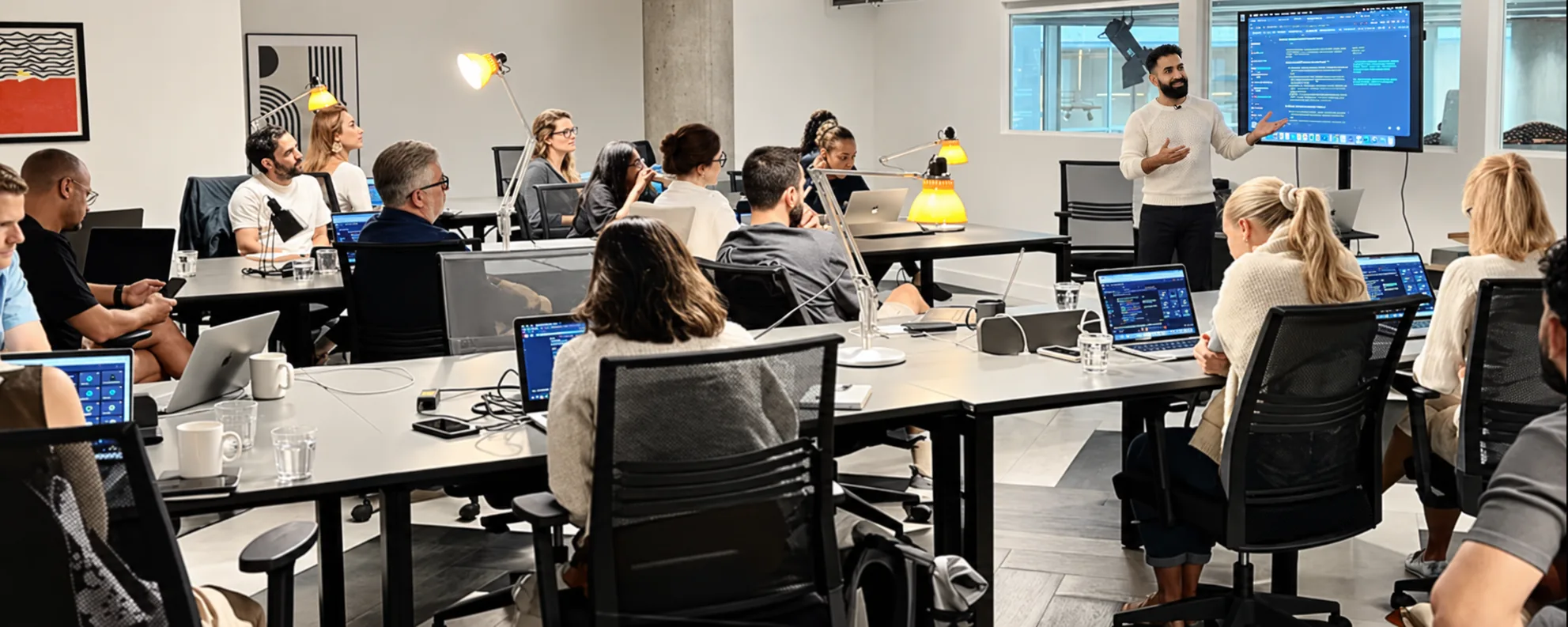
We train your people on the build
The people who will use each system learn it on their own real work, so it is in use from the first week.
Hands overA trained team for every system - 03
Oversee
We oversee how the team uses it
We track who uses what we built and how often, and work with team leads where use drops off.
Hands overA usage and value dashboard - 04
Fine-tune
We fine-tune from real use
Steps, instructions and checks are adjusted from what usage shows. At the end you extend, move to support or take it over.
Hands overRun instructions and a handover to your team
What we build
Agents and automations, each tied to a process someone owns.

- Agent
AI agents
Task-focused agents that carry out defined processes end to end, with checks and handovers to your people.
- Assistant
Internal knowledge assistants
Assistants that answer questions from your own documents, policies and systems, so staff stop hunting through folders.
- Automation
Workflow automations
Automations that remove repetitive steps across functions and connect the tools involved in a process.
- Assistant
Reporting assistants
Assistants that pull data together, draft commentary and produce the regular reports your teams spend hours on.
- Tool
Sales enablement tools
Tools that help sales teams prepare, follow up and keep the CRM accurate without extra admin.
- Workflow
Marketing production workflows
Workflows that speed up briefing, drafting and adaptation of content while holding brand and quality steady.
- Copilot
Customer service copilots
Copilots that surface the right answer, draft replies and help agents resolve queries faster and more consistently.
What stays with your team
The parts that decide whether it still runs in a year.
An AI workspace for your team
A set-up in the tool you chose, with shared instructions and examples, so people start from the same place.
Usage and value dashboard
Usage, time saved, quality and commercial effect, so you can see what pays and where to build next.
Documentation and handover
Run instructions and onboarding for the team, so the system does not depend on us.
Client results
Search, AI search and creative results, in the client’s own numbers.

No. 1
In Google AI Overviews
AI-led search work that reached the top of Google AI Overviews.
Read the case study
+141%
Leads, with CPA down 61%
More leads at a lower cost per acquisition.
Read the case study
+106%
Conversion rate, with CPA down 51%
A creative overhaul that doubled conversion and halved cost per acquisition.
Read the case studyHow we handle your data and access
Security and access shape the design from the start. We work within your identity, permissions and data policies, and agree what each system should not see before it is built.
Every system has a named owner on your side and a person who checks its output where it matters.
Policy
A written AI policy your staff can follow
Permissions
Permissions scoped to each role
Checkpoints
Human checkpoints where the output matters
Audit trail
Activity logged, so you keep an audit trail of what each system did
Who runs it
Cim, Jai and Finn.
They build it inside your tools, train your people on it and oversee how it is used.
 Cim DahirAI Transformation LeadFinnAI Account ExecutiveJai KhanAI Transformation Director
- Cim DahirAI Transformation Lead
- FinnAI Account Executive
- Jai KhanAI Transformation Director
Awards
Award winners from Google and Microsoft six years in a row
 Innovative Agency of the YearUK Agency Awards 2026
 Google Mobile InnovationGlobal Award Winners
- Google Award for Highest Customer SatisfactionEuropean Award Winners
 Microsoft Advertising Independent Partner of the YearEuropean Award Winners
 Best Use of AI in SearchUK Search Awards 2025
- Best Use of AIUK Agency Awards 2025
- Microsoft Elite PartnerEuropean Award Winners
- Microsoft Advertising Account Team of the YearEuropean Award Winners
Member of and working with







Brands who trust us


Questions about Integration
We build on what you already run. Agents, automations and the AI workspace go inside the tools your team opens every day, so nobody has to learn a new place to work.
01 / 08
Do you build on our existing platforms or bring in new ones?
We build on what you already run. Agents, automations and the AI workspace go inside the tools your team opens every day, so nobody has to learn a new place to work.
Ask us on a callBook a call about
AI integration.
A short call to talk through what to build and whether three or six months fits.
Not sure what to build yet? Start with a Discovery.